More About This Card
Facebook, the ubiquitous social media platform, offers a multitude of features to enhance user experience, one of which is the ability to change the language settings. Among the various language options available, one stands out for its playful twist: English (u?op ?p?sdn). This quirky language setting flips the text upside down, providing a fun and unique way to navigate the site.
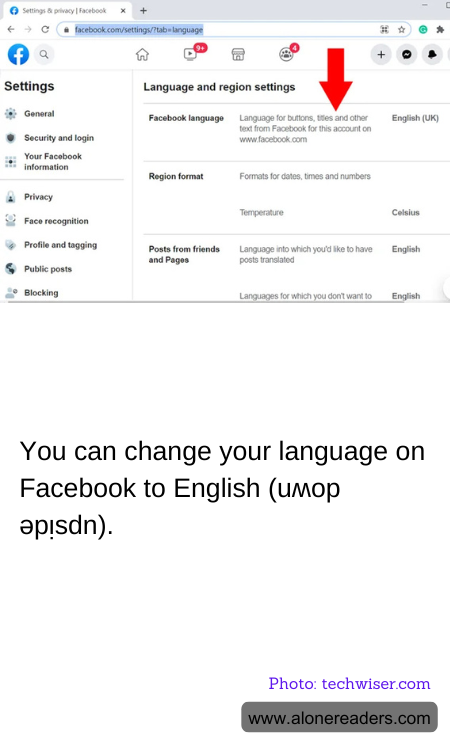
Changing your Facebook language to English (u?op ?p?sdn) is a simple process. First, log into your Facebook account and navigate to the settings menu. From there, select "Language and Region." In the language settings, you will find a list of available languages. Scroll through the list until you find English (u?op ?p?sdn) and select it. Once you save your changes, the text on your Facebook interface will appear upside down.
This playful language option is not just a novelty; it can also serve as a conversation starter or a way to engage with friends in a light-hearted manner. It adds an element of surprise and humor to the otherwise routine experience of browsing through your news feed or checking notifications. For those who enjoy puzzles or brain teasers, reading upside-down text can be an entertaining challenge.
While English (u?op ?p?sdn) is primarily for amusement, it can also be a useful tool for those looking to practice reading skills in a new and unconventional way. It encourages users to engage with language differently, potentially enhancing cognitive flexibility and visual processing skills. This setting can be particularly appealing to younger users or those with a penchant for novelty and creativity.
However, it is important to note that while this feature is entertaining, it may not be practical for everyday use. Navigating through upside-down text can be time-consuming and may lead to confusion, especially when trying to perform tasks that require precision, such as messaging or posting updates. Therefore, it is best used as a temporary change to inject some fun into your Facebook experience.
In conclusion, changing your Facebook language to English (u?op ?p?sdn) is a delightful way to add a touch of whimsy to your social media interactions. Whether you are looking to amuse yourself, challenge your reading skills, or simply surprise your friends, this feature offers a unique twist on the traditional Facebook interface. While it may not be suitable for long-term use, it certainly provides a refreshing break from the norm and showcases Facebook's commitment to offering diverse and engaging user experiences.