More About This Card
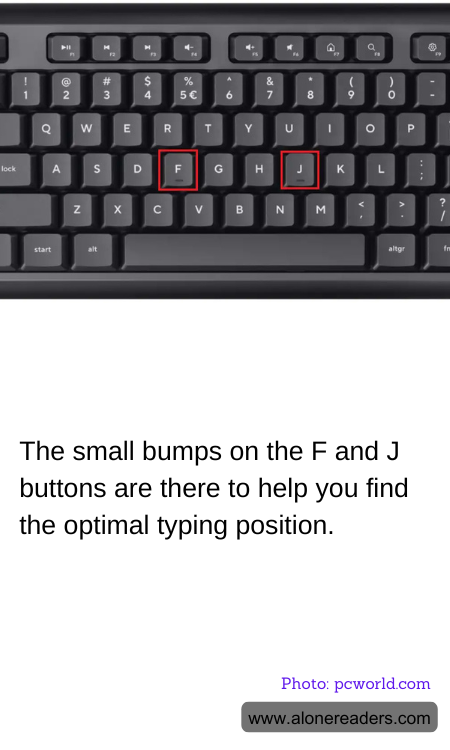
In the world of touch typing, the small bumps found on the F and J keyboard keys play an incredibly crucial role, often overlooked by casual computer users. These tactile markers are specifically designed to assist typists in locating the home row without the need to glance down at the keyboard, allowing for faster and more efficient typing.
The standard QWERTY keyboard features these small raised lines or bumps on the F and J keys because they are where the index fingers rest in the starting position for touch typing. This positioning, referred to as the "home row," is where the hands return after typing each letter or character. The other fingers are then aligned accordingly; with the left hand covering A, S, D, and F, and the right hand covering J, K, L, and ; (semicolon).
Understanding the layout, the bumps serve as physical guides. By feeling these markers, typists can ensure their fingers are correctly aligned on the keyboard, minimizing errors and increasing typing speed over time. This is particularly useful in professional settings where typing speed and accuracy are essential, such as in legislative, journalistic, and administrative roles. Moreover, in our increasingly digital world, touch typing has become a valuable skill in various industries beyond just traditional office environments, enhancing productivity in fields ranging from education to tech development.
For beginners, these tactile bumps are integral in developing muscle memory. As novice typists practice, their fingers start to move automatically to the correct keys, reducing their reliance on sight. This not only speeds up the typing process but also reduces strain on the neck and eyes, which can result from repeatedly looking down at the keyboard. Experienced typists benefit as well, as these tactile cues help maintain the consistency and accuracy of their skills, particularly under time constraints or during extended typing sessions.
Despite their small size, the bumps on the F and J keys reflect a thoughtful element of keyboard design, aligning with ergonomic principles to cater to efficiency and comfort in typing. As both technology and work environments evolve, the importance of such features remains significant, underpinning skills that are vital in navigating the digital landscape efficiently.